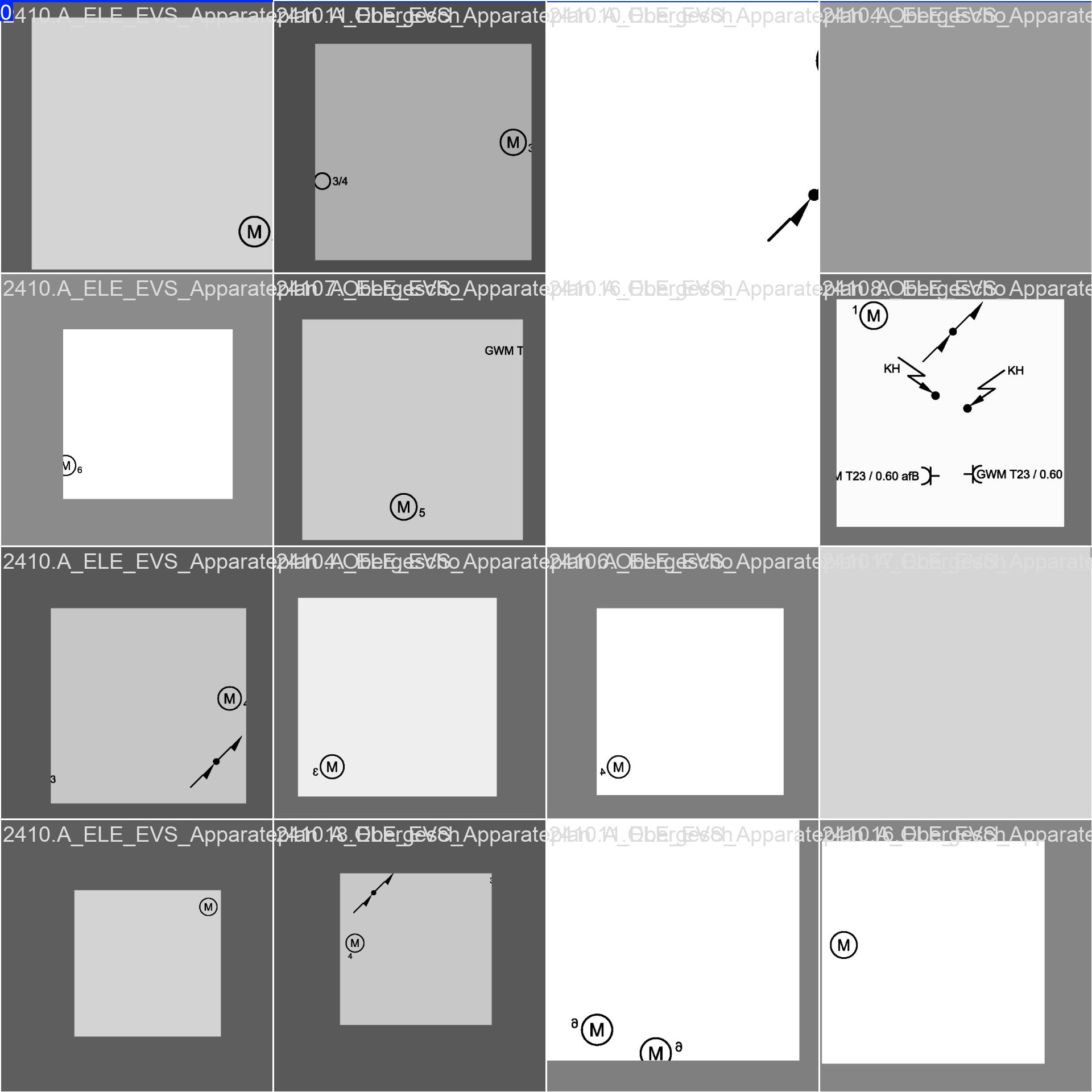
I am trying to read symbols from electrical house plans.
The plans are mostly in PDF format, which I have converted to SVG. Then I cropped them to a resolution of 640x640. After that, I replaced the transparent background with noise. The symbols consist of simple line drawings. Mostly only one color (red or blue).
I can’t get the symbols to be detected. I tried it with Yolov11n and m. When I look at the result after training, I see that only the cls_loss has changed. Everything else remains at zero. Where could the error be?
I am sure that the bounding boxes for training are in the right place and the data structure is correct.
As an example, you can see the red circle with the M that I want to detect in the attached image.
At the moment I have 144 labeled images and way more unlabeled. I’ll label some more with in the next days. However, I have the feeling that I am doing something else wrong.
Hopefully you’re not including unlabelled images with objects you want to detect in training. If you do, assuming that 90% of your data is unlabeled, it would be indicating to the model that 90% of data does not have any objects to detect. Additionally, 144 images is not going to be enough data to train a model that performs well. If you look at the COCO dataset, which is what the pretrained YOLO models are trained on, you’ll see that there are several thousand images/instances of objects like car, truck, person, cat, dog, etc. That’s how these models are able to perform well on new data. Icons don’t change a lot, but there are an infinite number of layouts, so you’ll need to ensure you have lots of variation in the layouts for the various symbols you want to detect.
Thanks a lot for your hints. I was not aware of it and will fix it.
Would it help if I removed all colors from my pipeline except for the color of the symbols to be learned? This is easily possible at the SVG stage. Does it depend on what color the background has left?
Great question. Short answer: don’t rely on color. YOLO will learn shapes just fine. If color is consistent and truly discriminative, keeping only the symbol color can work, but it risks overfitting. A safer approach is to standardize inputs to high‑contrast grayscale or binary (black symbols on white background), and apply the exact same preprocessing at train and inference. The specific background color doesn’t matter—contrast and consistency do. Avoid adding synthetic noise unless it reflects real data.
For line drawings, also try higher resolution and simpler augments while you debug:
from ultralytics import YOLO
model = YOLO("yolo11n.pt")
model.train(
    data="dataset.yaml",
    epochs=100,
    imgsz=1024,
    mosaic=0,
    copy_paste=0,
    hsv_h=0, hsv_s=0, hsv_v=0  # no color jitter
)
If strokes are very thin, export at higher DPI or thicken strokes so features survive downsampling. After fixing labels, verify overlays in train_batch*.jpg. For more tips on data/labels and monitoring, the Troubleshooting common issues guide is helpful.
Great. Then I’ll switch to black and white images. As soon as I have something here, I’ll get back to you, but it will probably take 1-2 weeks.
Thank you all.
In the meantime I adapted my pipeline to have black and white pictures 640x640. I have labeled 460 Images but I have still the same issue. If I check the train_batch images there are still no bounding boxes.
However if I take a picture and manually draw a bounding box with the coordinates from the label.txt file it looks fine.
I’m not anymore sure if my file structure is correct.
yaml file looks like that: path: /Users/az/PycharmProjects/planpipeline/trainMotorsBlackWhite train: train/images val: val/images nc: 1 names: ['Motor']
Did you try deleting the .cache files inside labels folder? Are there any warnings shown in the logs before training starts? Can you post an example label file content?